AI TOOL / #08331
Raycast AI Lite
Productivity tools that integrate AI, offer expansion capabilities, and allow for customization.
Introduction
Productivity tool with AI, extensions, and customizable features.
What is Raycast?
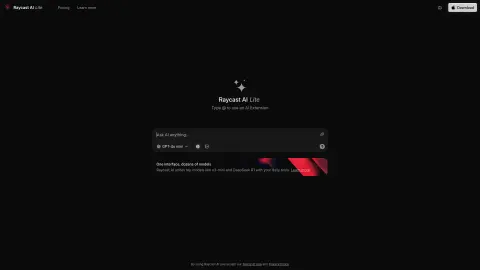
Raycast is a productivity tool that combines cutting-edge AI technologies with powerful expansion capabilities, and it runs directly on your operating system. It offers both a free version, Raycast AI Lite, and a Pro version, which includes additional features such as AI support, cloud synchronization, and custom themes. Raycast is designed to serve as a fast and efficient way to perform various tasks, providing users with a range of powerful tools all within a single, scalable interface.
How to use Raycast?
Raycast can be downloaded and installed on your operating system. Once installed, you can use it as a launcher to access a variety of tools and extensions. The Pro version unlocks additional AI features, cloud synchronization, and custom themes.
The core functionality of Raycast
AI chat
clipboard history
Quick link
calculator
code snippet
Emoji Selector
Window management
expand
Cloud Sync (Pro)
Custom Theme (Pro)
Related
PantryLab
Artificial intelligence-driven applications are used to manage food storage facilities, generate recipe suggestions, and assist with meal planning, all in order to reduce food waste.
LoveStudy
An AI-driven learning platform that offers the creation of flashcards, quizzes, notes, and podcasts.
Bible Ai
Personal Christian AI, designed for exploring religious texts and engaging in faith-related discussions.
PredictMyBaby
AI baby generator that predicts a future child's appearance from photos of the parents.
Medeo
Automated video editing
Artimator
A free AI art generator that utilizes stable diffusion and SDXL technology.