Lovart
The most powerful design intelligence agent
Introduction
Recently, a tool called Design Agent has become extremely popular overseas. Even the big names in the North American design community are using it – and that tool is Lovart. After several days of practical testing, I have discovered five incredibly useful ways to use it, and each one of them really amazed me! All you need to do is enter the relevant commands, and the Agent will automatically start designing for you. You can even make changes verbally – your instructions are immediately translated into actual design actions. Well, designers might have to worry about losing their jobs again…
Lovart is truly much better than I had imagined it to be. Seriously, designers have never had such a great tool at their disposal. I thought I would no longer be impressed by AI tools anymore, until Lovart helped me create an entire set of PPT templates that could be seamlessly integrated into my own designs. There was no need for fancy displays or a mere collection of different tools; instead, it combined the most advanced AI models in the fields of images, videos, and audio to create a practical and useful design system. Well, I won’t say more – you should give it a try yourself.
What is Lovart?
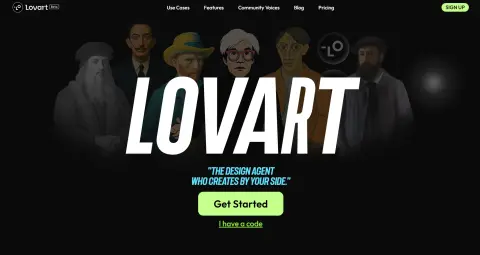
An AI Design Agent that “understands your needs” can automatically understand the requirements of a task, plan the entire process, and generate a complete set of visual designs – it’s far smarter than traditional image generators!
What can it do?
Graphic Design: Logos, posters, social media visuals
3D Modeling: Product Prototypes, Packaging Design
Dynamic content: short videos, background music, and basic voiceovers.
✨ What are the highlights?
✅ Automatic requirement breakdown: Once you describe your needs in a single sentence, Lovart will automatically break down the task into smaller components, generate ideas, determine the style, and select the appropriate model.
✅ Multi-model collaboration: Images, audio, animations, etc. – automatically utilize OpenAI/Suno/Tripo models for processing.
✅ Interface similar to Figma: Supports layer adjustment, partial modifications, and selective redrawing – even professional designers can easily get started using it.
Actual test: Using Lovart to create a “REDnote IP avatar” or a “personalized profile image”.