AI TOOL / #07258
AutoCropper
AI-based tools are used to batch crop and divide scanned images into individual pictures.
Introduction
AI-powered tool to batch crop and split scanned photos into separate images.
What is AutoCropper?
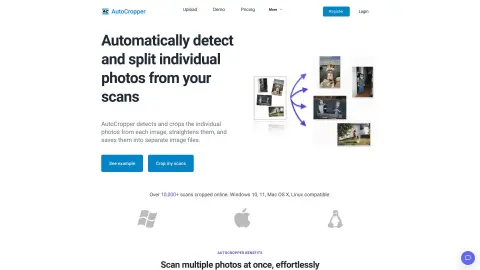
AutoCropper is an artificial intelligence-based online tool designed to batch-process multiple scanned photos. It automatically identifies and segments the individual images within these scans, adjusts their proportions, and saves them as separate image files. The tool supports bulk processing of multiple images at once, automatic rotation detection and correction, as well as high-quality uploading and downloading – without any compression being applied during the process.
How to use AutoCropper?
Upload multiple scanned images to AutoCropper. This tool will automatically identify and crop each individual image, adjust them accordingly, and allow you to download them as separate files. If necessary, you can use an advanced editor to further customize the cropping areas.
The core functionality of AutoCropper
Automatic photo detection and cropping
Batch processing of multiple scanned documents
Automatic rotation detection and correction
Full-quality upload and download, with no compression.
Customizable file naming structure
Related
Image hosting platform
When downloading materials, it is sometimes necessary to deal with files that cannot be directly transferred. However, this platform makes it extremely easy to upload such images. For those pictures that are not suitable for transmission via WeChat or QQ, they can also be uploaded to this platform first before being sent on.
isle.com
I really like Img – it’s a website that allows users to adjust the size of images online. It offers various functions such as image cropping, and it’s extremely convenient to use in emergency situations.
Noisli
The sound of rain, the roar of the waves, the ambient noises from a café… More than a dozen different sounds can be mixed together freely.
Flight cabin layout diagram search
Once you enter the departure and destination locations, specific flight numbers, aircraft models, and other information will be displayed. By clicking on the aircraft model, you can view a panoramic interior view of that plane. When you hover your mouse over a particular seat, the advantages and disadvantages of that seat will be shown.
Font World
FontWorld offers high-speed, free downloads and online preview services for a wide range of fonts, including Chinese fonts, handwritten fonts, English fonts, and graphic fonts.
Pinch the leaves
Qieye.com offers the opportunity to enjoy and study various types of games, including mini-games, arcade games, and single-player games.