AI TOOL / #07147
Table OCR – Extract tabular data from Pdf/Img
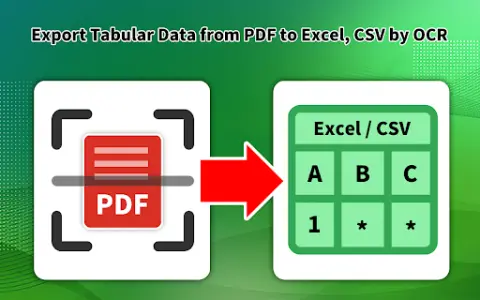
Table OCR extracts data from tables within images or PDF files and converts it into a structured format.
Introduction
Table OCR extracts data from tables in images/PDFs, converting it to structured formats.
What is the Table OCR AI Chrome extension/plug-in?
Table OCR (Optical Character Recognition) is a technology that utilizes machine learning and artificial intelligence algorithms to extract data from tables in various formats, such as scanned images or PDF documents. It is capable of automatically identifying and converting table data into structured formats like Excel spreadsheets, thereby eliminating the need for manual data entry. Table OCR has become increasingly important in business, as it enables faster and more accurate data processing, reduces errors, and improves efficiency. It can be applied in numerous industries, including finance, healthcare, and retail, and is a valuable tool for any organization that deals with large amounts of data.
How to use the Table OCR AI Chrome extension/plug-in?
Table OCR enables the extraction of data from tables contained in documents such as invoices, contracts, forms, bills of lading, packing lists, insurance documents, and air waybills. It is possible to extract either the entire table or specific fields/cells within a table.
The core functions of the Table OCR AI Chrome extension/plugin
Automatically extract table data from images and PDF files.
Convert table data into structured formats such as Excel or CSV.
Capture the entire table or a specific cell.
Privacy-conscious data processing
Related
Blade Image Editing Tool: FrameLab
FrameLab: A free online toolkit for images and videos – offering functions such as cropping, splitting, compressing, resizing, merging long images or creating grid puzzles, adding watermarks, rounding image borders, generating color swatches, converting file formats, removing EXIF metadata, extracting images from backgrounds, beautifying screenshots, and extracting frames from videos. All 12 of these tools can be used directly in your browser without any need to upload files to a server.
Game Time Machine | Classic Retro Games – Play for Free Online
We have carefully selected classic DOS games, arcade titles, console games, and retro games – you can play them for free online just by opening your web browser.
Dreams of the Wasteland – Specializing in Postgraduate Entrance Examination Mathematics, Advanced Mathematics, Linear Algebra, and Probability Theory and Statistics
Specialize in postgraduate entrance examination mathematics, advanced mathematics, linear algebra, and probability and statistics.
Chaoxing Erya General Education
Videos of renowned teachers giving lessons, accompanying teaching materials, and videos for teacher training – all these tools help users create high-quality blended public compulsory courses.
Home - Favorites: Mars - A paradise for sharing bookmarks across all browsers around the world
Bookmark Mars: A paradise for sharing browser bookmarks around the world. It offers functions such as sharing browser bookmarks, creating them online, and downloading them, bringing your bookmarks to life. It is the most convenient platform for sharing browser bookmarks in the country.
Oeasy Official Tutorial Website
A static technical tutorial website dedicated to Baidu, Google, and major domestic and international AI models, offering tutorials, materials, Q&A sections, and access to specialized columns.