AI TOOL / #07146
ImageToText
An extension that copies text from images on the internet via the OCR.Space API.
Introduction
An extension to copy text from images on the internet using OCR.Space API.
What is the OCR.Space API AI Chrome extension/plugin?
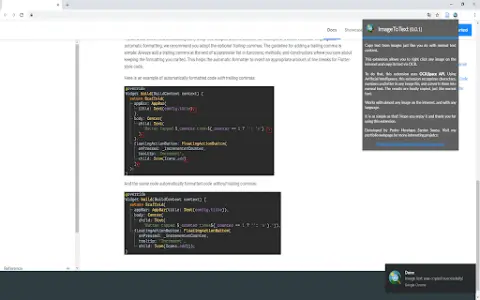
This extension lets you copy text from any image on the internet just like regular text content. Simple—that's the goal of this app. Just right-click the image, select “Copy Image Text,” and you're done… You can use and paste the text you see in that image. It's very useful for extracting text from informative, entertaining, and code-block images. Now you don't have to rewrite everything—with this extension, the problem is solved. To process images, this extension uses the OCR.Space API.
How do I use the OCR.Space API AI Chrome extension/plugin?
Right-click an image, select "Copy Image Text," and then paste the extracted text.
Core features of the OCR.Space API AI Chrome extension/plugin
Copy text from images on the internet.
Related
CopyrightShark
Provide content creators with services for protecting their content and removing any instances of DMCA violations.
TextGears
An online platform for grammar and spelling checks, supporting multiple languages.
UpScore AI
An AI-based platform for evaluating and improving IELTS Writing Task 2 performances.
Mentafy Extension
Mentafy is an anti-AI plagiarism detection tool designed to help organize reference materials and store snapshots within writing projects.
SpamCheck.ai
AI-based detection and prevention of spam in user-generated content, covering comprehensive analysis and validation.
AI Detector for PPT
An AI detection tool designed to accurately identify content generated by artificial intelligence in PowerPoint presentations.