AI TOOL / #06796
AutoPod
An Adobe Premiere Pro plugin for automatic video podcast editing.
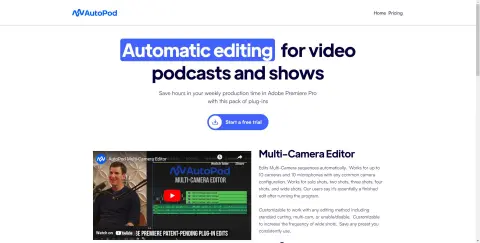
Introduction
Adobe Premiere Pro plugin for automatic video podcast editing.
What is AutoPod?
AutoPod is a set of plugins for Adobe Premiere Pro, designed specifically for video podcast and video program editors. It automates tasks such as multi-camera editing, creation of social media-ready content, and seamless editing based on audio silence markers. By streamlining processes that often prove time-consuming for editors, AutoPod helps to save valuable production time every week.
How to use AutoPod?
Install the AutoPod plugin in Adobe Premiere Pro. Open a project file in Premiere Pro, navigate to Window > Extensions, and then click on the desired AutoPod application. Use these tools to automatically edit multi-camera videos, create social media-ready clips, or add transitions based on audio silence.
The core functions of AutoPod
Automatic multi-camera editing
Social media content creation
Jump-cut editing
Related
Ministry of Human Resources and Social Security
Official ministry site for employment, social insurance and qualification policies.
CreativeMode
No need to write code; use AI to create my own Minecraft mod.
Essential for programmers: The journey of a request
A set of interactive system design courses: Each concept is presented through dynamic illustrations, guiding you through a step-by-step exploration of topics ranging from load balancing and caching to sharding, consensus mechanisms, queues, as well as the design of complete systems that can support millions of users, starting from a single server.
SaaS Toolkit
SaaS-based analysis, automation, and AI-powered customer service
ToolJet
An open-source platform for building AI tools and systems
aiteam.space
Each agent has its own container and email address.