AI TOOL / #06784
ListenUp! – Capture feedback, record meetings
A Chrome extension designed for recording, transcribing, and centrally managing insights gathered from phone calls.
Introduction
Chrome extension to record, transcribe, and centralize call insights.
What is the ListenUp! AI Chrome extension/plug-in?
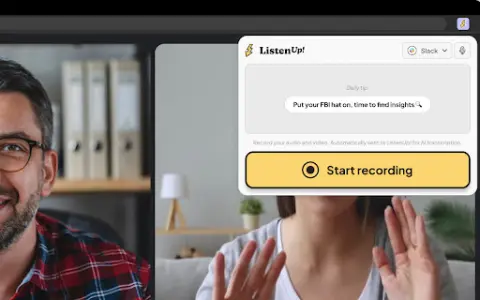
ListenUp! is a Chrome extension designed to record and transcribe telephone conversations, enabling users to organize the insights gathered during these calls alongside information from other sources – all in order to help them make better product decisions.
How to use the ListenUp! AI Chrome extension/plug-in?
1. Add the ListenUp! extension to Chrome and fix it in place.
2. During the call, open the extension app and click “Start Recording”.
3. When the call ends, click “Stop Recording”. The recorded call will be automatically added to the “Recordings” section of your ListenUp! account and will be transcribed accordingly.
The core functions of the ListenUp! AI Chrome extension.
call recording
Automatic transcription
Centralized storage of insights
Related
ai-dog.net
An AI-driven content creation platform that generates high-quality content efficiently.
Plannit AI
An AI-powered business plan generator that provides resources and tools to assist entrepreneurs.
Zoviz
One-click logo generation and branding tool with unique icons and lifetime access.
AiNameIt
An AI-driven platform used for generating unique business names, slogans, and checking the availability of domain names.
Tech2Transfer
Artificial intelligence platforms analyze the technical maturity and market potential of scientific papers.
DAAS
An AI-driven SaaS for startups that provides financial analysis, planning, and business development tools.