AI TOOL / #06677
Voice Control for Netflix
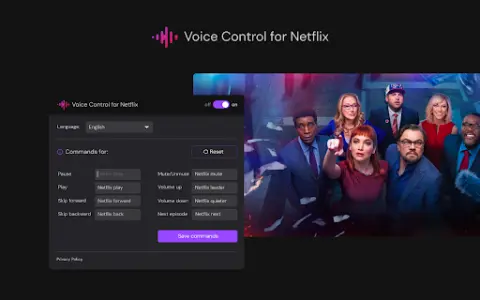
Use voice control to operate Netflix: play, pause, fast-forward, and more.
Introduction
Control Netflix with your voice: play, pause, fast-forward, and more.
What is the Voice Control for Netflix AI Chrome extension/plugin?
Netflix’s voice control allows users to manage their Netflix experience via voice commands. This includes tasks such as playing, pausing, and advancing videos, all without the need to use a remote control or touch the screen.
How to use the Voice Control feature for the Netflix AI Chrome extension/plug-in?
Simply enable Netflix’s voice control, and then use voice commands to control playback, navigate the menu, and search for content.
The core functionality of the Netflix AI Chrome extension/plugin for voice control
Use voice control to operate Netflix playback functions (play, pause, fast forward, rewind).
Hands-free navigation, Netflix menu
Voice search for films and TV shows
Related
JoyAI – Generative AI for Salesforce
An AI platform that utilizes AI assistants to enhance work efficiency and is designed for various business tasks.
DevBooster
AI browser extension for smarter copy-paste coding, validation, optimization and documentation.
Auxillary AI
Provides AI assistants for B2B platforms through natural conversations and AI assistance.
Nomi
AI sales assistant provides real-time phrase suggestions to increase sales closing rates.
The North
An AI-powered OKR and project management platform designed to assist data-driven teams in achieving their goals.
Chat2DB Local
AI-powered database management and visualization tools that allow for operations via natural language.