AI TOOL / #05674
AdLibNote: Video Downloader for Facebook™
Facebook Video and Image Downloader, featuring an AI-based summary function.
Introduction
Facebook video and image downloader with AI summary feature.
What is the FBDownloader AI Chrome extension/plug-in?
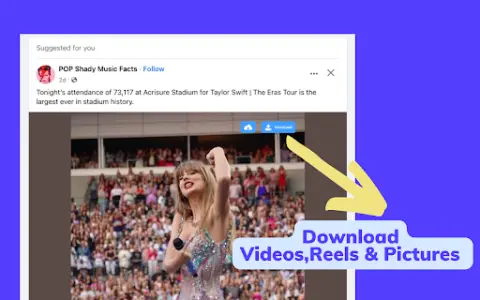
FBDownloader is a browser extension designed to help users download videos and photos from Facebook in high quality onto their computers or laptops. It also offers a video summary feature powered by ChatGPT, which allows users to quickly understand the content of a video without having to watch it.
How to use the FBDownloader AI Chrome extension/plug-in?
1. Go to facebook.com.
2. Locate the video or image that you wish to save.
3. Click the download button located in the upper right corner of the video or image.
4. The image or video will be automatically downloaded to your computer.
5. Click the icon to view the AI-generated summary in order to obtain a video summary (you will need a ChatGPT account for this).
The core functions of the FBDownloader AI Chrome extension/plug-in
One-click download of Facebook videos and photos.
Download high-definition images and video materials.
Use AI (ChatGPT) to generate video summaries.
Related
Flova
Multi-agent AI video creation
Pixmax
Multi-model AI video intelligent agent
ChatArt
Multi-model AI Creation Platform
DaoShadow AI
An end-to-end platform for creating AI short dramas
Tipkay
Desktop AI employee content operations
Typesetting star
Public account Xiaohongshu AI typesetting and matching tool