AI TOOL / #05474
Time Squeeze
Automatic computer activity tracker – enhancing productivity, billing, and cost accounting.
Introduction
Automatic computer activity tracker for productivity, billing, and cost accounting.
What is Time Squeeze?
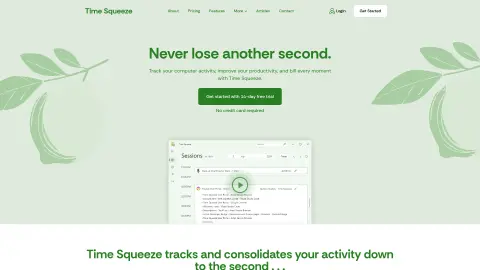
Time Squeeze is a software application designed to automatically track and integrate computer activities, helping users increase their productivity and ensure accurate billing. It monitors the time spent on websites, individual files, applications, as well as during periods of inactivity away from the computer (AFK mode), eliminating the need for manual timers. The platform offers convenient features for data export, reporting, and statistical analysis, making the billing process much simpler. Users can also directly associate their activities with specific clients or projects, without the need for third-party project management software. Time Squeeze is aimed at providing insightful information about how time is being used, thereby facilitating more effective cost tracking and optimal utilization of software subscriptions.
How to use Time Squeeze?
Time Compression automatically monitors computer activities with precision down to the second, including the amount of time spent on websites, files, applications, and any other tasks performed on the device. Users do not need to manually start or stop the timing process. The data collected can be categorized, filtered, and exported to generate accurate billing reports or analysis summaries. It is also possible to immediately link these activity records to specific customers or projects.
The core functionality of Time Squeeze
Automatic time tracking and integration
Simplified billing (data export, reporting, statistics)
No need to reconcile the time spent on the project.
Review and Timeline (detailed event navigation)
Improper cost accounting (analysis of time utilization, pricing strategies, and the return on software investments)
Easy to install and deploy (suitable for individual users or organizations)
Generate statistics for all content (coming soon: data search, filtering, efficiency metrics, AI-based classification)
Related
ToolFK AI Image and Video Tools
Free AI image and video tools: Image-to-video, Text-to-image, and Image-to-text conversion services that allow users to generate and download results online.
Connections Academy Online Public School
A free, accredited K-12 online public school that shows how students can thrive through personalized learning at home.
ProgrammerHumor: Funny memes for programmers
Collect the best memes, jokes, and humorous materials related to programmers for developers and technology enthusiasts.
Hack Design course
A set of design courses that are easy to follow: Every week, a design lesson created by professional designers will be sent to your email. You can learn at your own pace and apply what you’ve learned in your actual work.
NASA Image and Video Library
NASA’s image and video library aggregates all visual resources in one searchable location, offering the option to download images in various sizes and resolutions. Users can also view the metadata of these images, including EXIF information related to the shooting details.
Monkeytype typing test
A minimalist yet customizable typing test website with an extremely rich set of features: various self-testing modes, progress tracking, and speed improvement options.