AI TOOL / #04897
Patent Highlighter
Browser extensions that highlight technical information in patents while suppressing legal jargon.
Introduction
Browser extension that highlights technical information in patents, suppressing legal jargon.
What is the Patent Highlighter AI Chrome extension/plug-in?
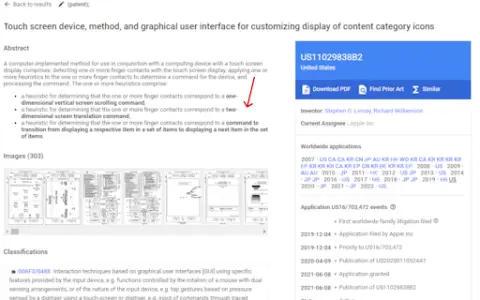
The Patent Highlighter is a browser extension designed to enhance the efficiency of reading and understanding patents. It highlights technical information within patent documents while suppressing redundant legal terminology, allowing users to quickly identify key inventions and technical details without altering the original text written by the inventors.
How to use the Patent Highlighter AI Chrome extension/plug-in?
1. Open a patent on Google Patents.
2. Click the patent highlighter extension icon in your browser.
3. Click the "Highlight" button.
4. Wait for the important information to be highlighted.
The core functionality of the Patent Highlighter AI Chrome extension/plugin
Highlight the technical information contained in the patent.
Reducing the use of redundant legal language
Maintain the original text written by the inventor.
Browser extension integration
Related
Cramd
An AI-based learning platform offering personalized learning and AI-enhanced flashcards.
LeetCard: AI-powered FlashCards
LeetCard is a mobile app for improving problem-solving skills and preparing for interviews.
Wisdolia
An AI-based flashcard and multiple-choice question generator, designed for learning and review purposes.
Flashka
An AI-driven flashcard generator and learning platform.
AutoEspressoLab
AI-driven UI testing tools and online courses for software engineers.
Avatalks
Learn languages through 3D avatars and AI chat – completely free of charge.