AI TOOL / #03181
Heyday
An AI-powered memory assistant that helps you recall forgotten information while you are browsing the web.
Introduction
AI-powered memory assistant that resurfaces forgotten content while you browse the web.
What is “heyday”?
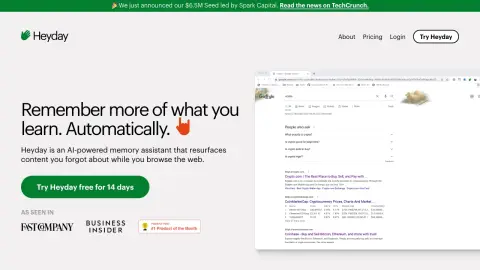
Heyday is an AI-powered memory assistant that can help you recall information you have forgotten while you are browsing the web. It automatically saves the pages you visit and then presents this content again in search results, enhanced search results, article overlays, as well as in the auto-populating knowledge base.
How to use Heyday?
Install the Heyday extension and integrate it into your application. Heyday will restore the content you have forgotten within a few seconds, whenever you browse web pages or use a search engine.
The core functions of Heyday
Enhanced Search: View the information you have forgotten among the search results.
Enhanced Reading: Re-present the content you have forgotten through an overlay layer within the article.
Knowledge base: A knowledge base that is automatically populated with information.
Related
Answers: Q&A Encyclopedia
Answers is the place where you can find answers and ask questions.
University of the People: an online university with no tuition fees
Obtain a degree through flexible, tuition-free online programs and receive high-quality higher education anywhere you wish. To date, 170,000 students have already joined these programs.
WikiArt: An Encyclopedia of Visual Arts
WikiArt is an excellent resource for finding information about art online. You can browse paintings and photographs in its searchable image database, as well as read biographies of artists and learn more about their works.
Collection of OverAPI Quick Reference Manuals
OverAPI compiles various reference tables, providing you with everything you need in one place.
WallpaperWaifu: Dynamic wallpapers
Collect a large number of free dynamic and animated wallpapers to make your computer desktop and home screen more lively and interesting.
Geek Prank Simulation Tool
An online Windows XP emulator that allows you to secretly switch it to full-screen mode while your friend is away, thus making it appear as if their computer is still running the outdated XP operating system.