AI TOOL / #02660
Grok Button
A browser extension that provides quick access to Grok AI.
Introduction
A browser extension for quick access to Grok AI.
What is a Grok Button?
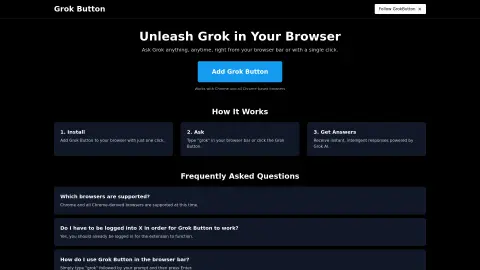
The Grok button is a browser extension that seamlessly integrates the powerful capabilities of Grok AI into your web browser. Users can submit their questions by entering “grok {your question}” in the browser address bar or by clicking the Grok button, and they will receive instant, intelligent responses.
How to use the Grok Button?
Install the Grok button extension. To use it, enter “grok” followed by your question in the browser address bar, then press Enter, or click the Grok button.
The core functionality of the Grok Button
Quickly access Grok AI from your browser.
Answer questions immediately
Integration with Chrome and Chrome-based browsers
Related
Free Subtitles AI
Free online tool transcribes audio and video to text and provides translation.
Sonix AI
A platform for automatic transcription, translation, and subtitle generation of audio/video content.
Image to Prompt Pro
A free AI tool that generates detailed prompts from images, suitable for AI art and SEO.
UniScribe
UniScribe is an artificial intelligence-based platform for audio and video transcription, summary generation, and mind map creation.
FakeYou
AI voice generators are used to create audio and video content featuring the voices of celebrities and fictional characters.
HTTPie AI
A user-friendly command-line HTTP client designed for API testing and interaction.