AI TOOL / #02589
IntelliBar
The Mac AI Assistant, which integrates multiple AI models, places emphasis on both privacy and efficiency.
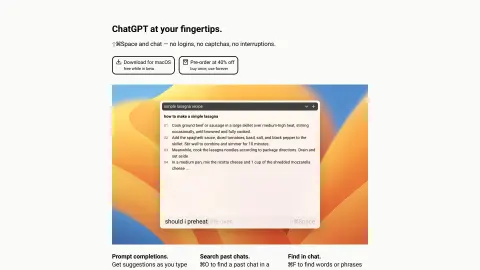
Introduction
Mac AI assistant integrating multiple AI models with a focus on privacy and efficiency.
What is IntelliBar?
IntelliBar is a Mac AI assistant that integrates multiple AI models, such as ChatGPT, Claude, and Gemini. Users can access these functions quickly with just one button. It offers features like the ability to adjust the tone of responses, complete tasks based on provided hints, and utilize local models, while placing a strong emphasis on user privacy and cost-effectiveness.
How to use IntelliBar?
Activate the IntelliBar by using the keys (⌥ ⌘ Spacebar). Users can enter prompts and select different AI models. It supports functions such as comparing the responses of various models, editing prompts, and utilizing context-related commands.
The core functions of IntelliBar
Integrates multiple AI models (ChatGPT, Claude, Gemini)
Activated by pressing a button for quick access
Tips for completion and context-related commands
Local model support is available.
Data processing that respects privacy
Cost-effective use of AI technologies
Related
Crisp
A business messaging platform for sales, marketing, and support with AI-powered features.
Fantoons
Create comics and anime with AI—no artistic skills required.
Onlyfans AI Chatbot – ChatPersona AI
AI tools for OnlyFans creators to increase engagement and revenue by optimizing chats.
VOX Factory
Web-based AI vocal synthesizer for singing vocal generation and vocal conversion.
Ask Warren Buffet Anything
An artificial intelligence application that provides investment advice inspired by Warren Buffett.
MindRoomAI
Create your own AI clone based on the content you have, and monetize interactions with your fans.