AI TOOL / #02175
Whoz
LinkedIn extensions, used to capture profile information and automatically populate the Whoz talent pool.
Introduction
LinkedIn extension to capture profiles and automatically populate Whoz talent pool.
What is the Whoz LinkedIn Extension for Chrome? What is this extension/piece of software?
The Whoz LinkedIn extension enables users to capture LinkedIn profiles and automatically add them to their Whoz talent pool. It simplifies the screening process by allowing users to directly add the profiles they are interested in to the Whoz database. Furthermore, it leverages Whoz’s AI capabilities to perform professional expertise assessments, evaluate the relevance of these profiles, track the recruitment process, and add notes during interviews.
How to use the Whoz LinkedIn Extension for Chrome?
1. Install the extension.
2. Go to Whoz, log in, and navigate to your Whoz workspace (any page that starts with https://www.whoz.com/workspace/…).
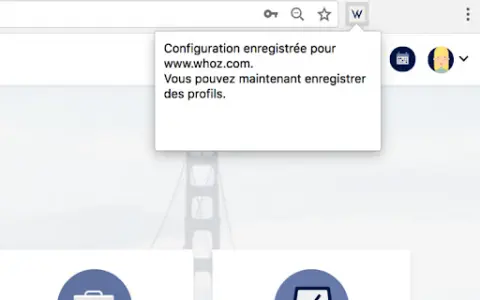
3. Click the expansion icon; a message confirming the configuration will appear.
4. Log in to LinkedIn, check your profile, and click on the extension icon. A confirmation message will appear in your Whoz talent pool, indicating that your profile has been added.
What are the core functions of the Whoz LinkedIn Extension for Chrome?
Automatically capture profiles from LinkedIn and import them into Whoz.
AI-based detection of professional knowledge and skills
AI-based assessment of profile relevance
Recruitment process tracking
Interview Notes
Related
Userscript.Zone
Userscript.Zone is a website dedicated to searching for and installing userscripts online (UserScript, or “Tampermonkey scripts”). What is a userscript (UserScript)? It is a small JavaScript program that can
immersive translation
Immersive Translation is a translation tool/browser extension that focuses on bilingual parallel reading. It emphasizes the experience of “displaying the translated text directly within the context of the original text” (while preserving the contextual context at the paragraph level), and it supports translation in various content formats such as PDF, EPUB, and video subtitles. The bilingual feature of Immersive Translation allows users to...
Galaxy AI Mirror-GPTPLUS Mirror Station
Galaxy Video Bureau is a platform focusing on streaming media and AI productivity software sharing, reducing user costs through a shared rental model. It provides mainstream entertainment including Netflix, Disney+, HBO, Apple TV+, Midjourney, ChatGPT, etc.
Toonme
Upload one of your photos or avatars to the Toonme website, and after a few seconds, your image will be converted into a cartoon style. The website can be used for free without the need to register. Note: It may not be accessible in China due to network restrictions; you will need a special connection to use it. Additionally, the site will generate various styles of cartoon images for you – this has been tested in practice for accounting purposes.
a wooden box
The Wood Box is a classic, multifunctional, and highly efficient tool kit. It occupies very little space yet provides access to over 120 practical tools for various daily tasks, as well as for handling images, managing devices, organizing files, and editing text. It’s truly the Swiss Army knife of the app world! Although not all the tools included in it are frequently used, the majority of them are essential for everyday work.
Grok
Grok is a multi-functional AI assistant developed by Musk's artificial intelligence company xAI. As of March 2025, Grok has been iterated to the Grok-3 version, claiming to surpass existing mainstream models in complex reasoning, mathematical calculations and programming capabilities. In Chat