AI Card Bao SZCYGXJGPWTURBO.AICARDBAO.COM
Home / ai-AI detection and anti-detection / Document Metadata Clearing
AI TOOL / #01202

Document Metadata Clearing (PixPix)

DOCX/PDF property cleanup
Introduction

The resume was revised using the company’s computer, and when it was submitted, the current employer’s name was still listed in its attributes; the document delivered to Party A had the name of another client listed as the final editor; the editing time for that bid document claimed to total only ten minutes. All these instances are examples of information revealed through document attributes—yet most people never even bother to check that section at all.

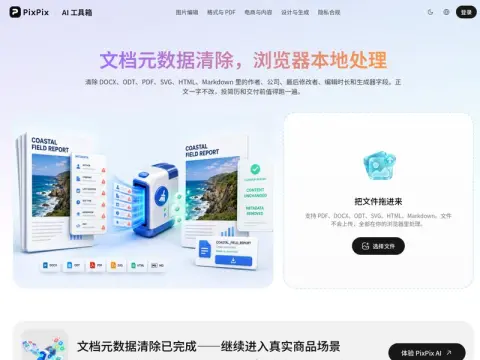
The tool scans DOCX, ODT, PDF, SVG, HTML, and Markdown files to identify any metadata contained within them, and then removes fields such as the author’s name, the company name, the last editor who made changes, the amount of time spent editing the file, and the software used to generate the document.

The design guidelines are clear and straightforward: the main text must not be altered in any way. The word/document.xml files in DOCX format, as well as the content.xml files in ODT format, should be copied verbatim, including all binary contents such as images. Any modifications should only be made to the attribute files and customXml files. After export, the layout and content of the document will remain exactly the same as before.

There are two matters that need to be handled separately: annotations and revision history fall within the category of the main text and therefore are not included in the cleanup process. These items must be either accepted or rejected within the original software before being saved separately. As for PDF files, their metadata structure is more complex, so it is safer to check again after exporting them. Keep a copy of the original file; do not overwrite it with the exported version.

Visits:147 Updated:2026-11-26 Popular tools

Related

AlteredQualia At first glance, it looks like a portal website from the last century—so plain that you might think you’ve clicked on the wrong page. Download CAJViewer9 03 Innovative Website Using Black Technology for Light Painting – It’s Really Fun to Create Artistic Lighting Effects! Website Address Emojiall This website can help you obtain various ENOJI emojis. Simply click on the emoji you want to use, and it will be copied immediately. You can then paste it directly into WeChat or any other social media app for use. no hello A fun website dedicated to criticizing the “are you there?” style of conversations – two examples of such dialogues make it instantly clear how much more efficient and direct communication can be. Have you remembered it? Have you noted that this is a free electronic gift register software and online gift register system? It can be used in various scenarios such as weddings, receiving gifts and contributions, returning gifts, birthday celebrations for infants, graduation dinners, housewarming parties, and funerals. The software supports the design of gift register templates, automatic pagination and summary calculation of gift amounts, and allows for exporting data in PDF or image format for A4 printing. It also enables guest registration, gift return inquiries, and family sharing features. Chinese colors Designers can refer to traditional Chinese color combination guidelines; cultural creators can use these standards to produce presentations and posters with a Chinese style; developers can integrate traditional color data through the MCP interface; and educators can utilize this information for teaching about traditional culture. All color data are based on the chromatographic standards published by the Terminology Office of the Science and Technology Information Compilation Committee of the Chinese Academy of Sciences.